
 01273 837559
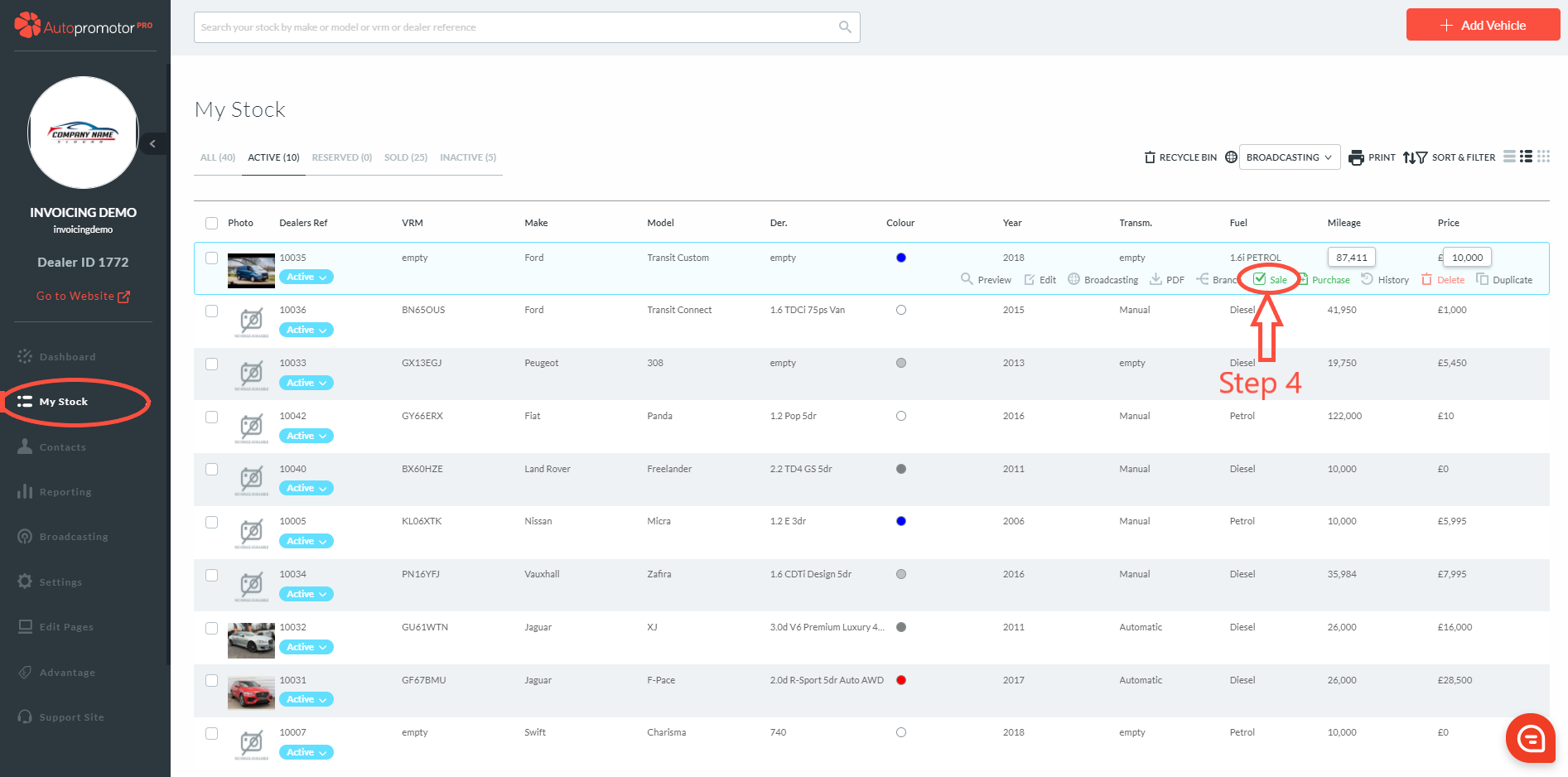
- Click on ‘My stock’ in the navigation menu
- Find vehicle you want to raise a sales invoice against
- Hover cursor over vehicle row – this will bring up more options
- Click on ‘Sale’
5. Complete customer details 6. Complete sales details – Commercial Vehicle should be pre-set in VAT type
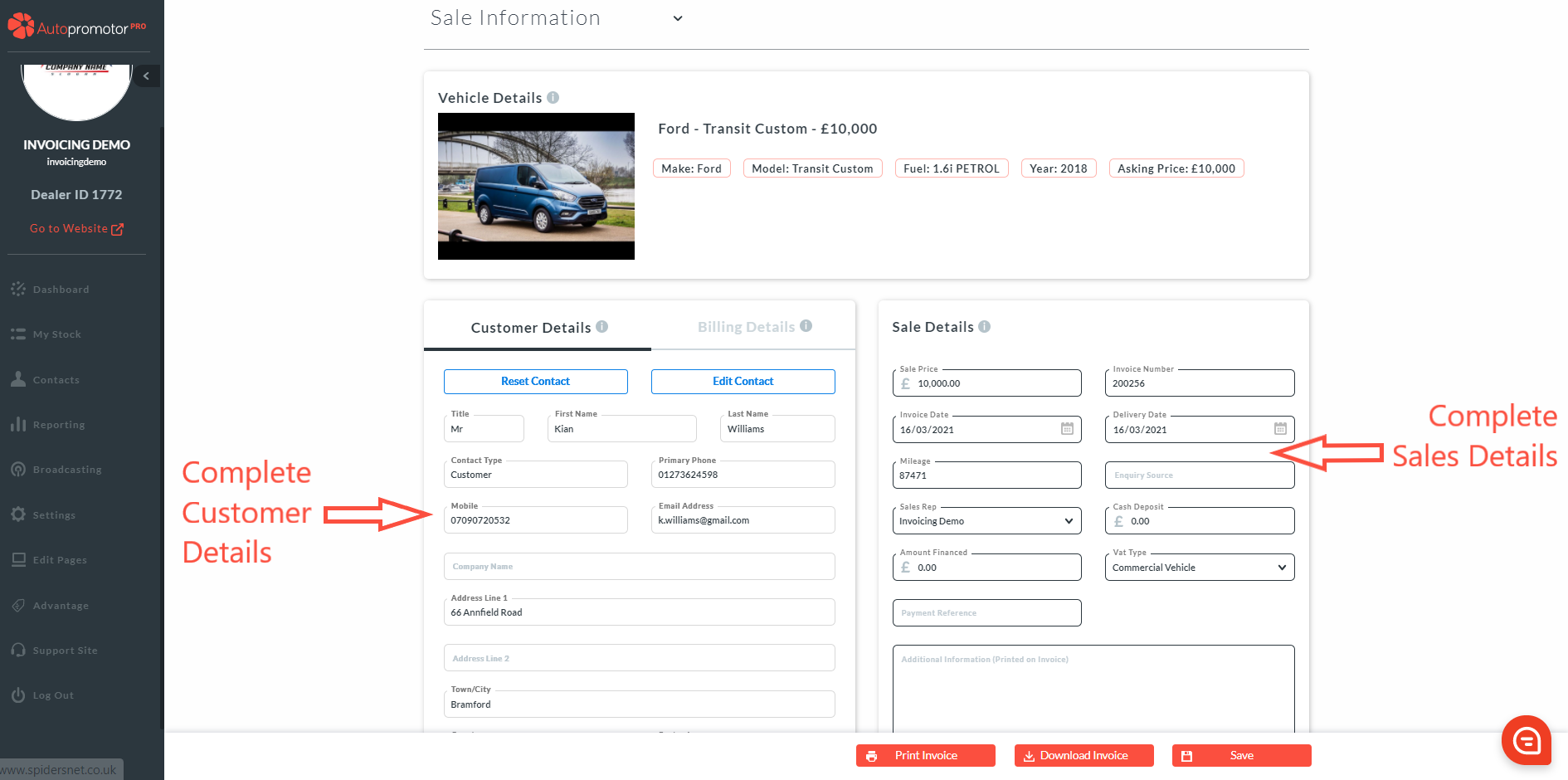
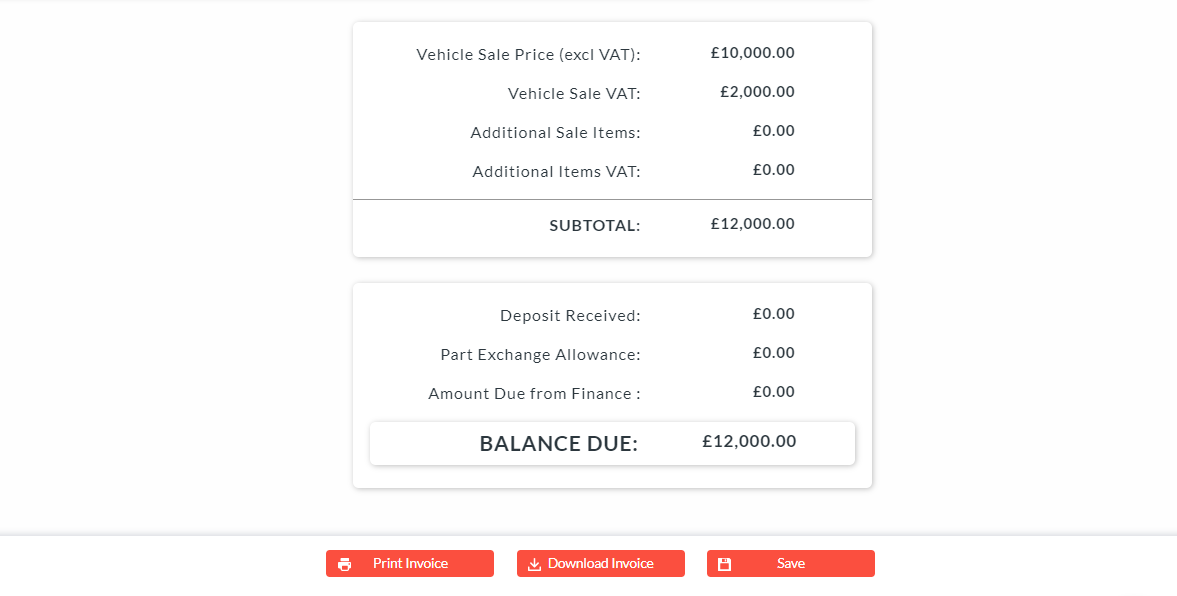
7. Click on ‘Save’ 8. You will see in the sales summary at the bottom of the page the Purchase VAT will automatically be calculated giving you the total sale price.
Was this helpful?
Let us know if this guide was helpful and you found out what you needed to know. If you didn't find all the information you required, then click 'No I still need more help' and fill in the form so we can assist you further.
 01273 837559
 Email Us