
 01273 837559
You may have a customer who is part exchanging a vehicle in with outstanding finance.
Step-By-Step Guide:
- Click on ‘Add Part Exchange’ in the Part Exchange box on the Sales Invoice
- Complete the Part Exchange Vehicle details and click submit
- Further details of the vehicle will be shown, including a section named ‘Finance Settlement.
- Select the Finance Company
- If the Finance Company doesn’t appear in the drop down list, you will need to add them first on the ‘Contacts page’
- Complete the rest of the Finance Settlement Details
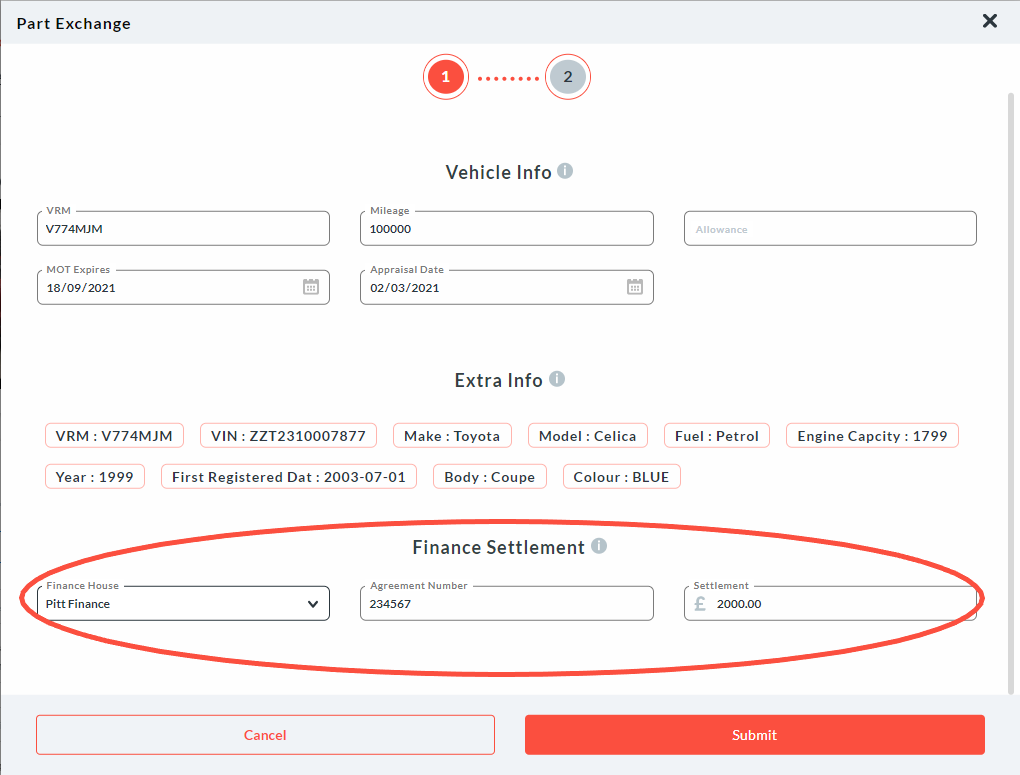
6. Click on Submit. 7. The finance settle details will now show in the totals due box.
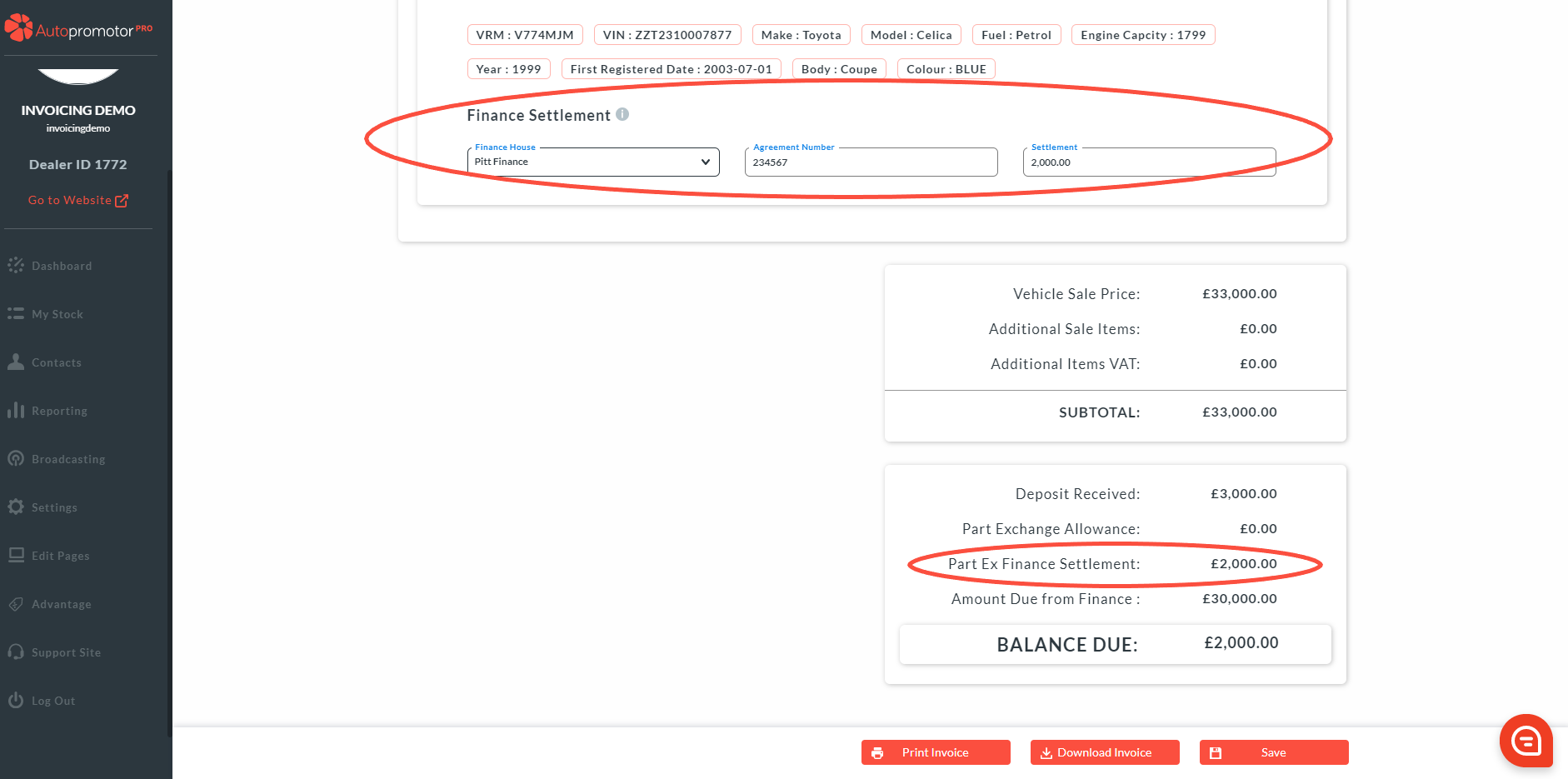
8. Click on ‘Save’
Was this helpful?
Let us know if this guide was helpful and you found out what you needed to know. If you didn't find all the information you required, then click 'No I still need more help' and fill in the form so we can assist you further.
 01273 837559
 Email Us