
 01273 837559
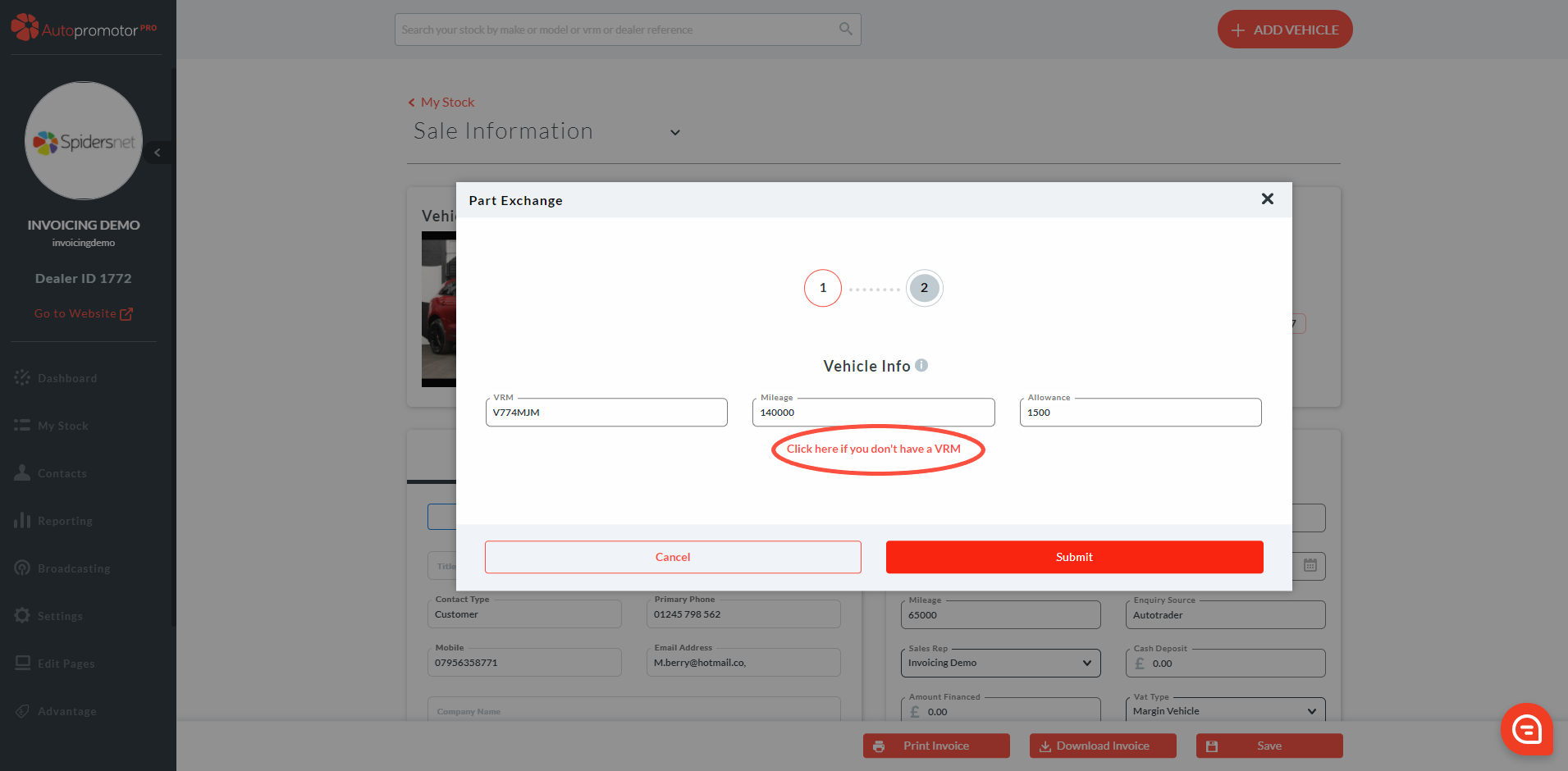
Use this method of uploading a part exchange if the vehicle has no VRM information. This will include vehicles that are Pre-Reg, have private registration plates or for caravans.
Step-By-Step Guide:
- Complete Customer Details
- Complete Sales Details
- Scroll down to the ‘Part Exchange’ box
- Click on ‘Add part exchange’
- A pop-up box will appear asking for Part Exchange vehicle details
- Click on ‘Click here if you don’t have a VRM’
7. Complete the part exchange vehicle information
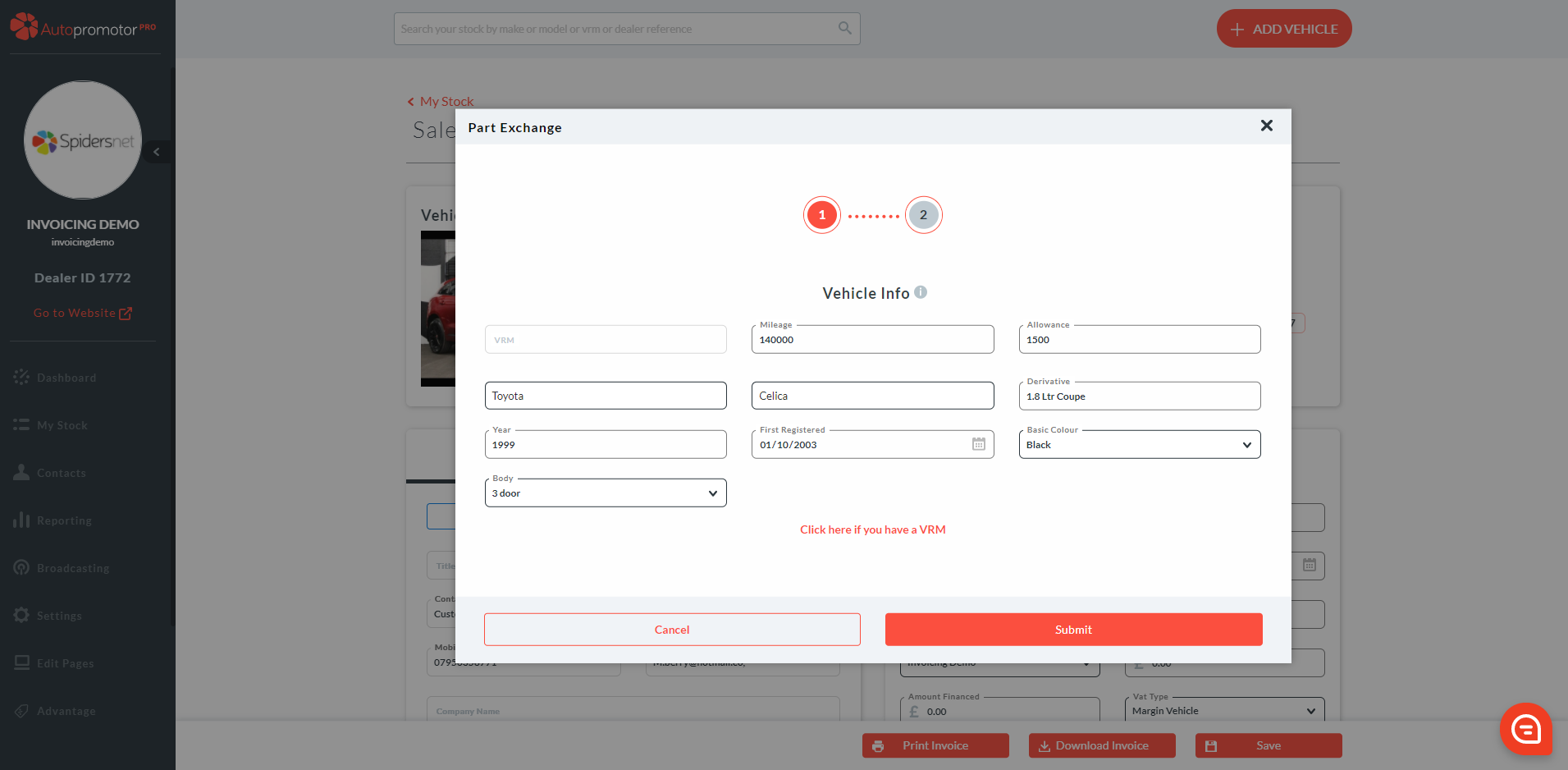
8. Click on ‘Submit
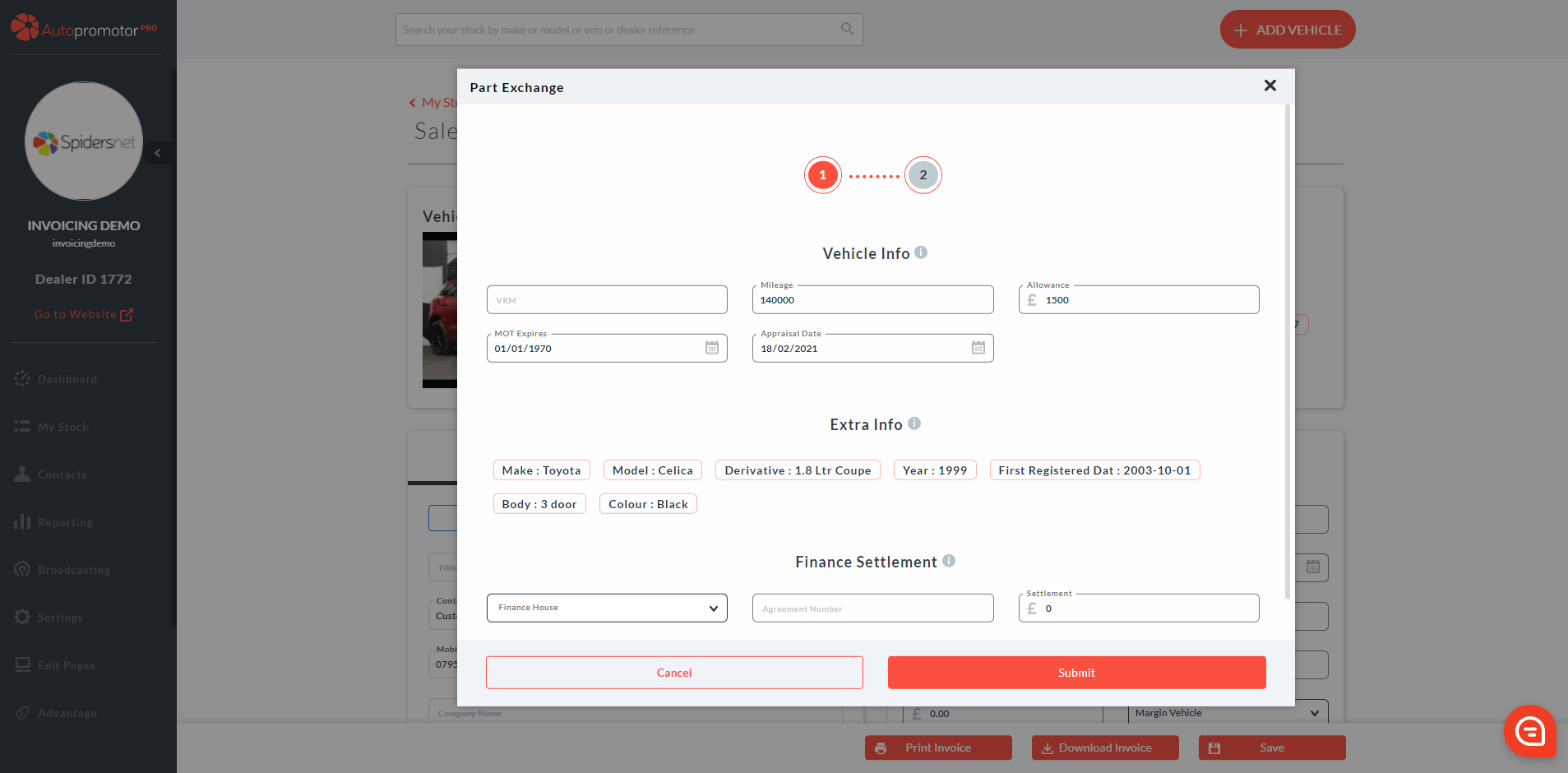
9. The information you have just entered will appear under ‘Extra Info’ 10. Click on ‘Submit’ 11. The part exchange will now show up on the sales invoice and adjust the total amount left to be paid. 12. Click on ‘Save’
Was this helpful?
Let us know if this guide was helpful and you found out what you needed to know. If you didn't find all the information you required, then click 'No I still need more help' and fill in the form so we can assist you further.
 01273 837559
 Email Us