
 01273 837559
Click on ‘Reporting’ to take you to the reporting pages.
Click on the header ‘Stock Book’ to take you to the page.
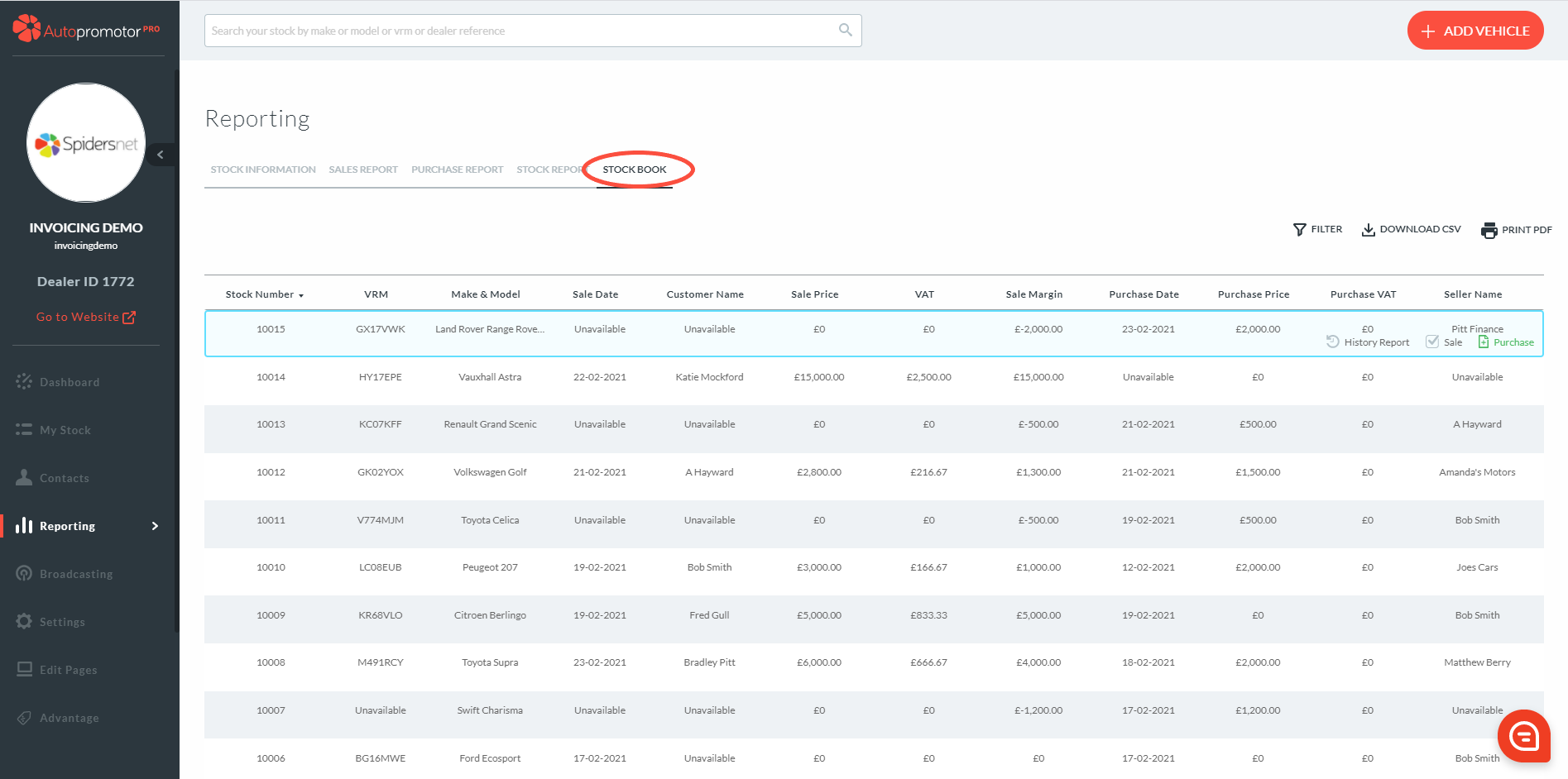
The Stock Book shows you an overview of the purchase & sales details per individual vehicle. The report will show you the vehicles in numerical order of the stock ID. The report is made up of the following data:
- Stock ID
- VRM
- Make & Model
- Purchase Date
- Purchase Price
- Purchase VAT
- Seller Name
- Sale Date
- Customer Name
- Sale Price
- VAT
- Sale Margin
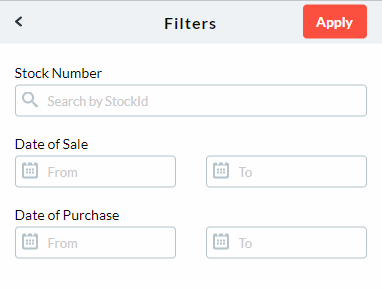
You are able to filter your stock book by clicking on ‘Filter’. A pop up box will appear with the filter options of: Stock Number, Date of Sale & Date of Purchase.
Was this helpful?
Let us know if this guide was helpful and you found out what you needed to know. If you didn't find all the information you required, then click 'No I still need more help' and fill in the form so we can assist you further.
 01273 837559
 Email Us