
 01273 837559
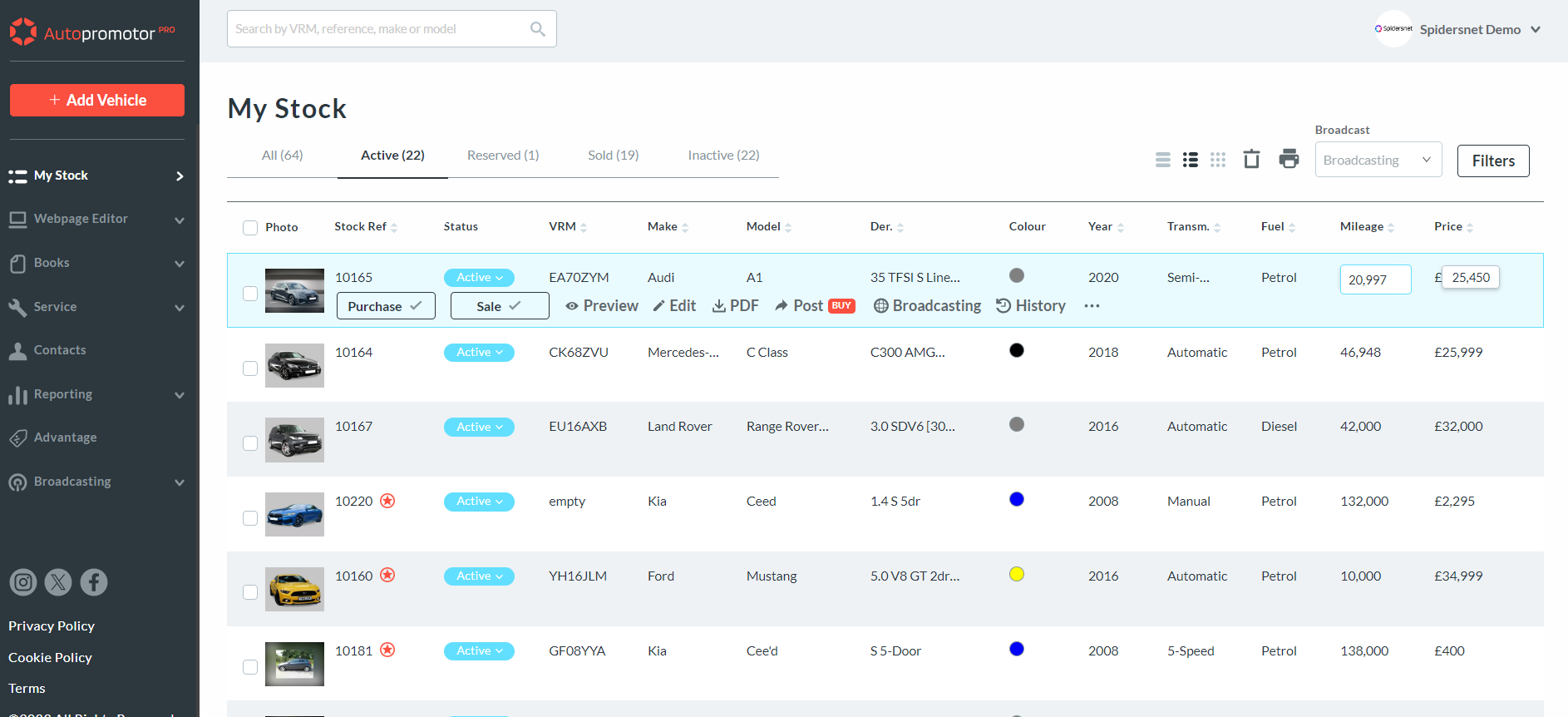
You can now carry out ‘Quick Edits’ on Autopromotor, allowing you to quickly edit the mileage or pricing information of a specific vehicle.
Watch the video below, or read our step-by-step guide to learn how to carry out ‘Quick Edits’ using Autopromotor.
Video guide:
Step-by-step guide:
1 – Go to the ‘My Stock’ section of Autopromotor. You will then be presented with a list of all of your vehicles. To quickly edit the mileage of a specific vehicle, all you have to do is click on the figure. Then you can update it yourself with ease.
Was this helpful?
Let us know if this guide was helpful and you found out what you needed to know. If you didn't find all the information you required, then click 'No I still need more help' and fill in the form so we can assist you further.
 01273 837559
 Email Us