
 01273 837559
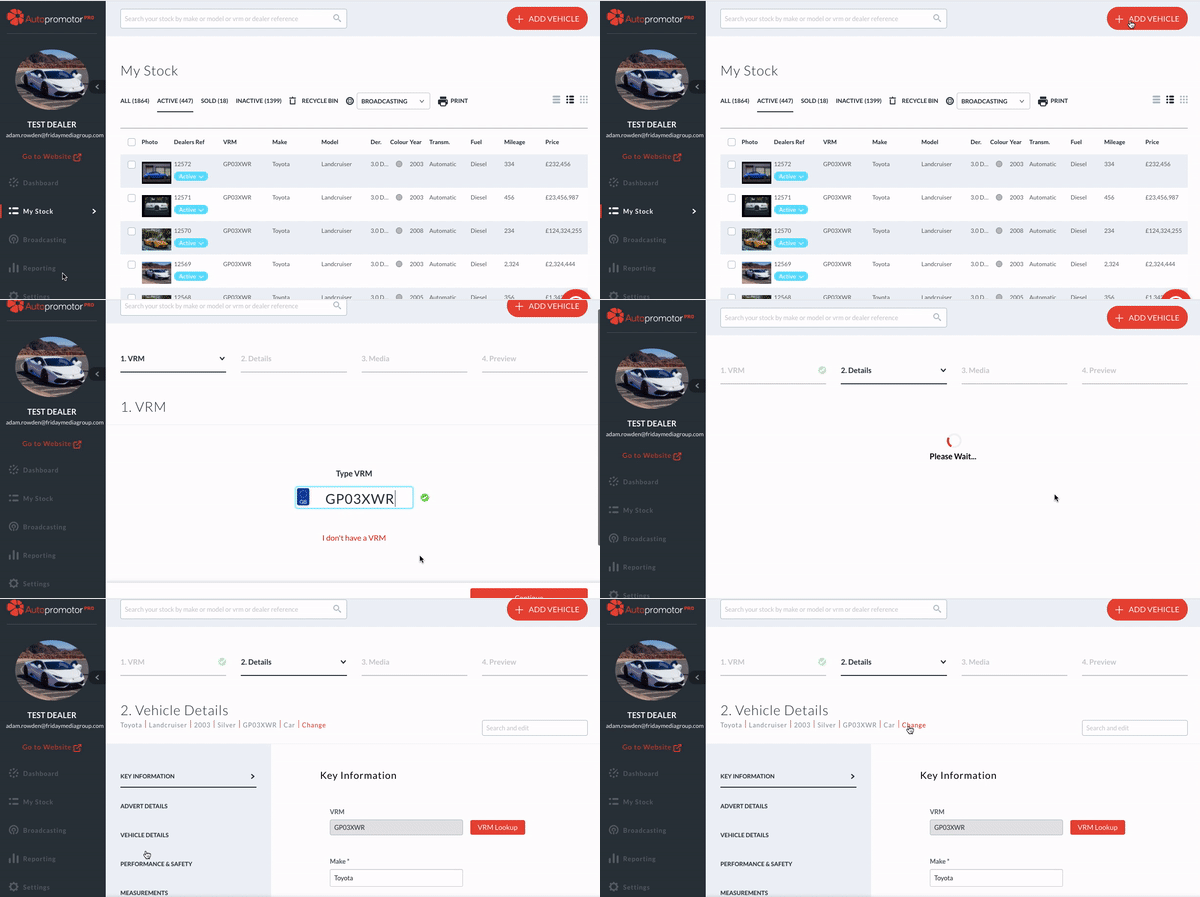
When you add a vehicle to your website using Autopromotor the VRM lookup pulls in the vehicle type. You can, however, manually override this, and select a different vehicle type if you wish. This is nice and straightforward to do.
Video Guide:
Step-by-step instructions:
1 – Once you have added a vehicle’s VRM in Autopromotor you will be presented with the Key Information tab. On the top of the tab, next to where the vehicle type is listed, you can click the word ‘Change’.
2 – Once here you just need to select the new vehicle type, and click ‘Change’ and this will be updated.
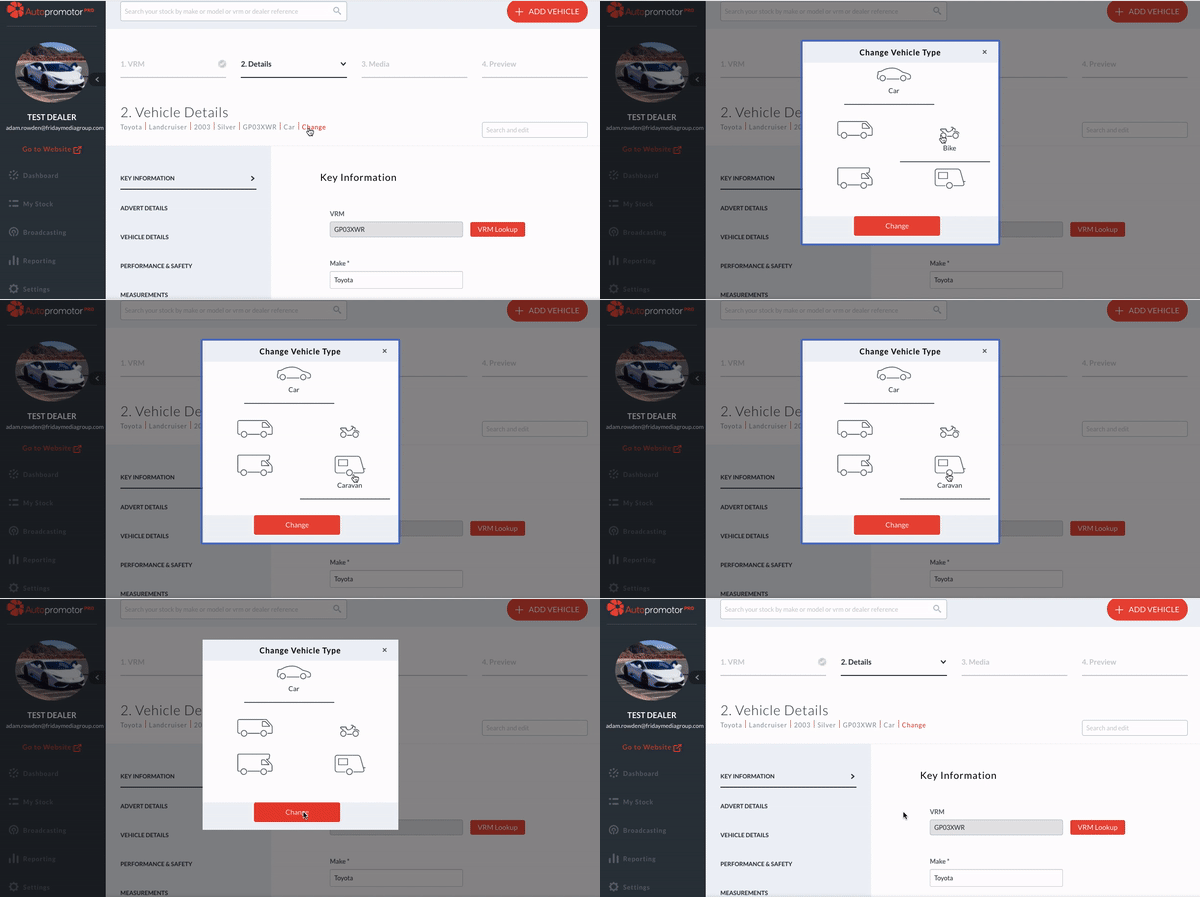
3 – It is worth mentioning that you can also change the vehicle type on adverts that are already completed by following the same steps.
Was this helpful?
Let us know if this guide was helpful and you found out what you needed to know. If you didn't find all the information you required, then click 'No I still need more help' and fill in the form so we can assist you further.
 01273 837559
 Email Us