
 01273 837559
Spidersnet dealers are able to quickly and easily download a full stocklist in a printable PDF format. This means that you can share all of your vehicles quickly and efficiently with your customers. You can choose between three modern, slick, printer-friendly designs, allowing you to display your vehicles how you wish.
Video Guide:
How to download a full stocklist:
1 – Log in to Autopromotor and click ‘My Stock’
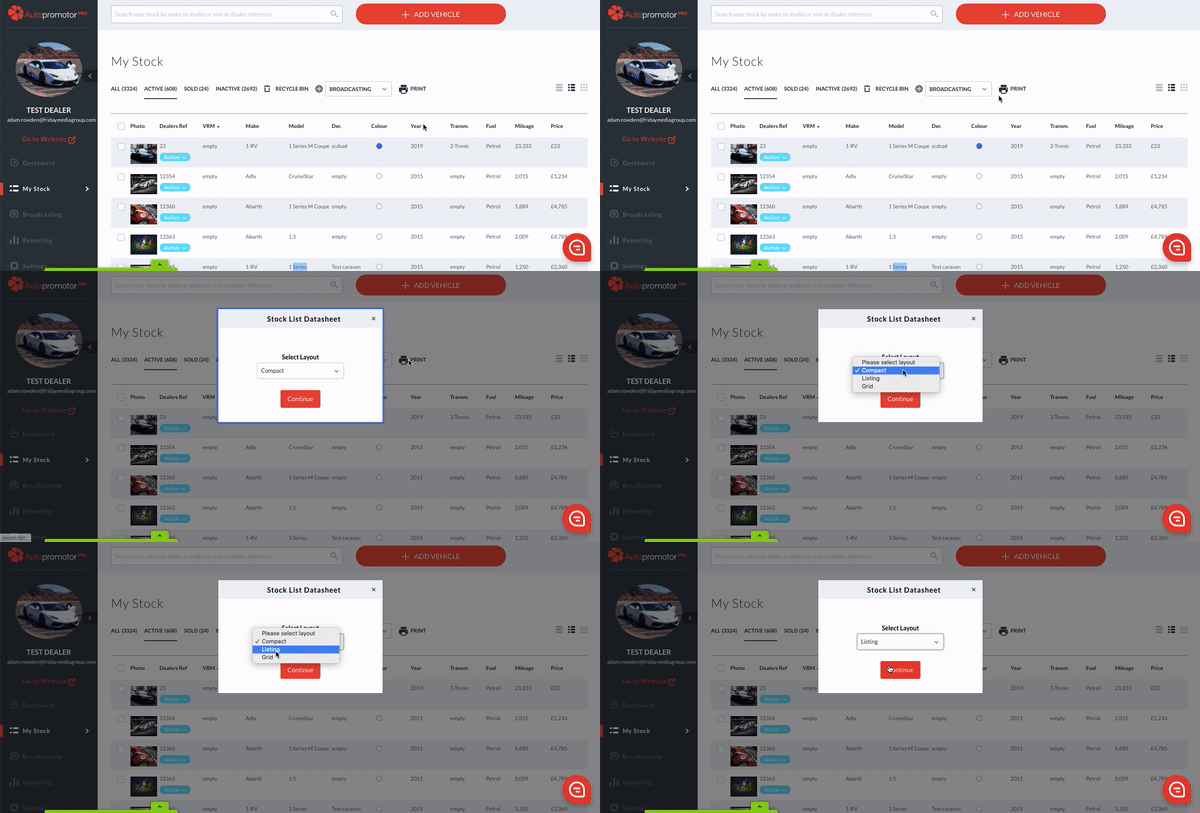
2 – Once you are in your stock list, click on the ‘Print’ button. You then need to select either the Compact, Grid, or Listing layout. When you have chosen your layout, click ‘Continue’.
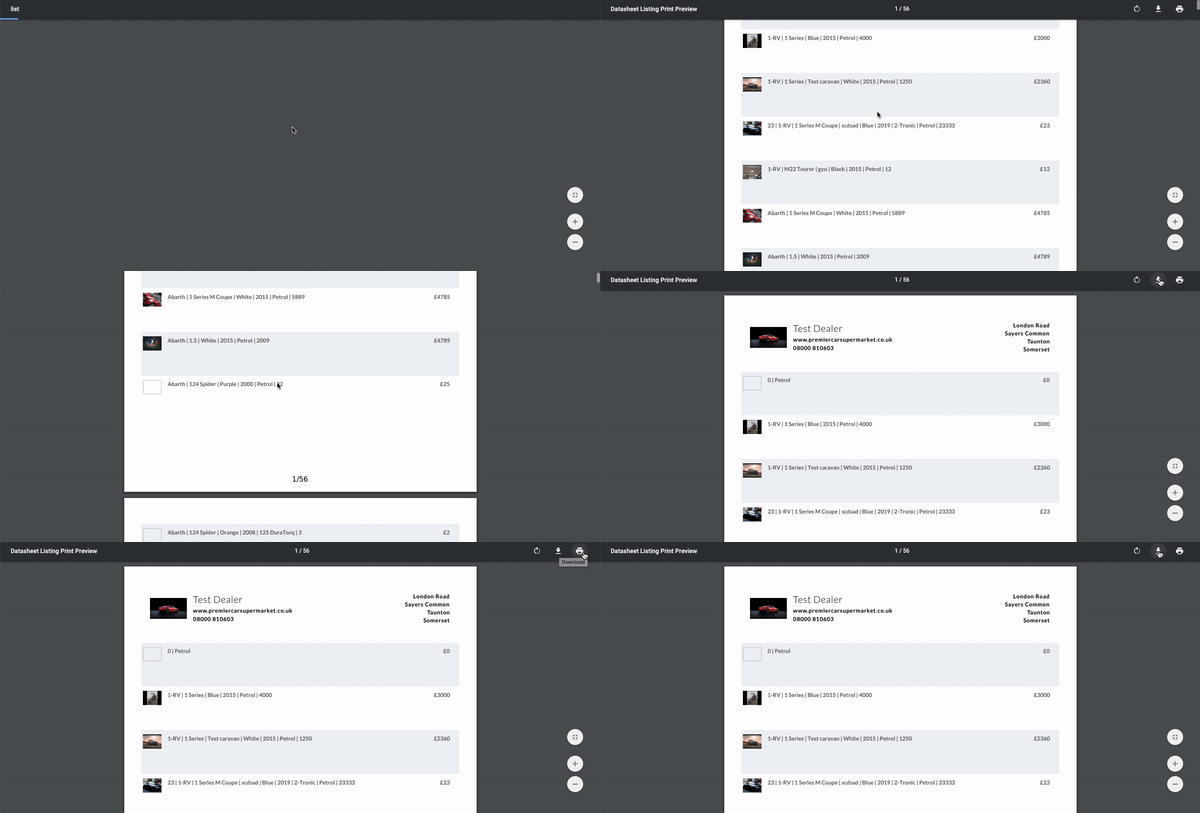
3 – You will then be presented with your stock list. From this screen you can click ‘Download’, to download the PDF to your computer. Or ‘Print’ to print it off right away.
 01273 837559
 Email Us