
 01273 837559
As you may already be aware, labelling images using Alt Text can have a positive benefit on your website’s ability to rank well in Google searches. By giving your images a relevant label, you can make your website better optimised for search engines.
In this guide we show you how to change the labels (Alt text) of the images on your ads.
Follow this step-by-step guide today.
Log in to Autopromotor and click My Stock to view all of your vehicles. Then click edit next to the vehicle you would like to edit.
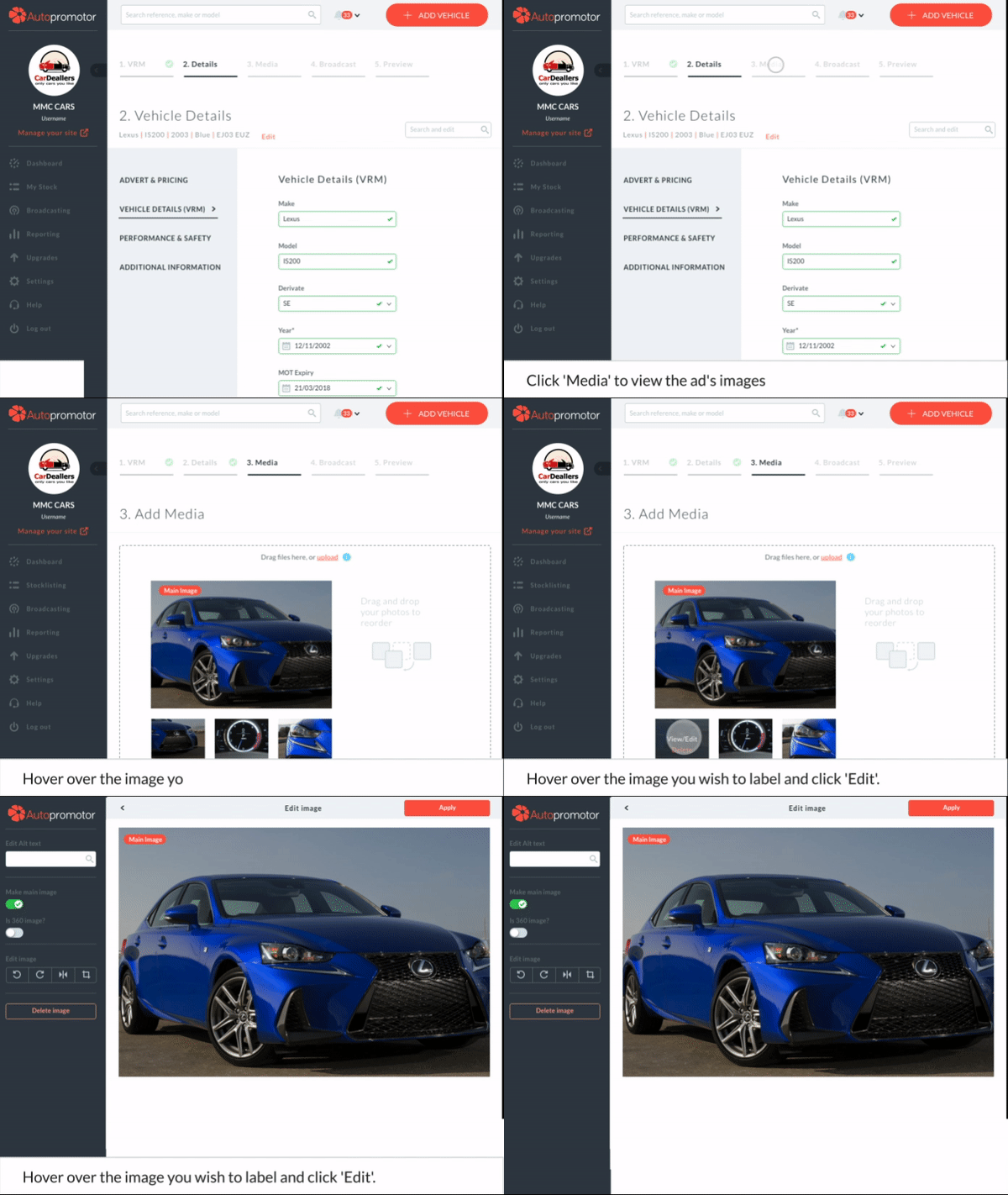
1 – Once you are editing that specific ad, click ‘Media’ to view the images. Then, hover over the image you wish to add text to and click ‘edit’.
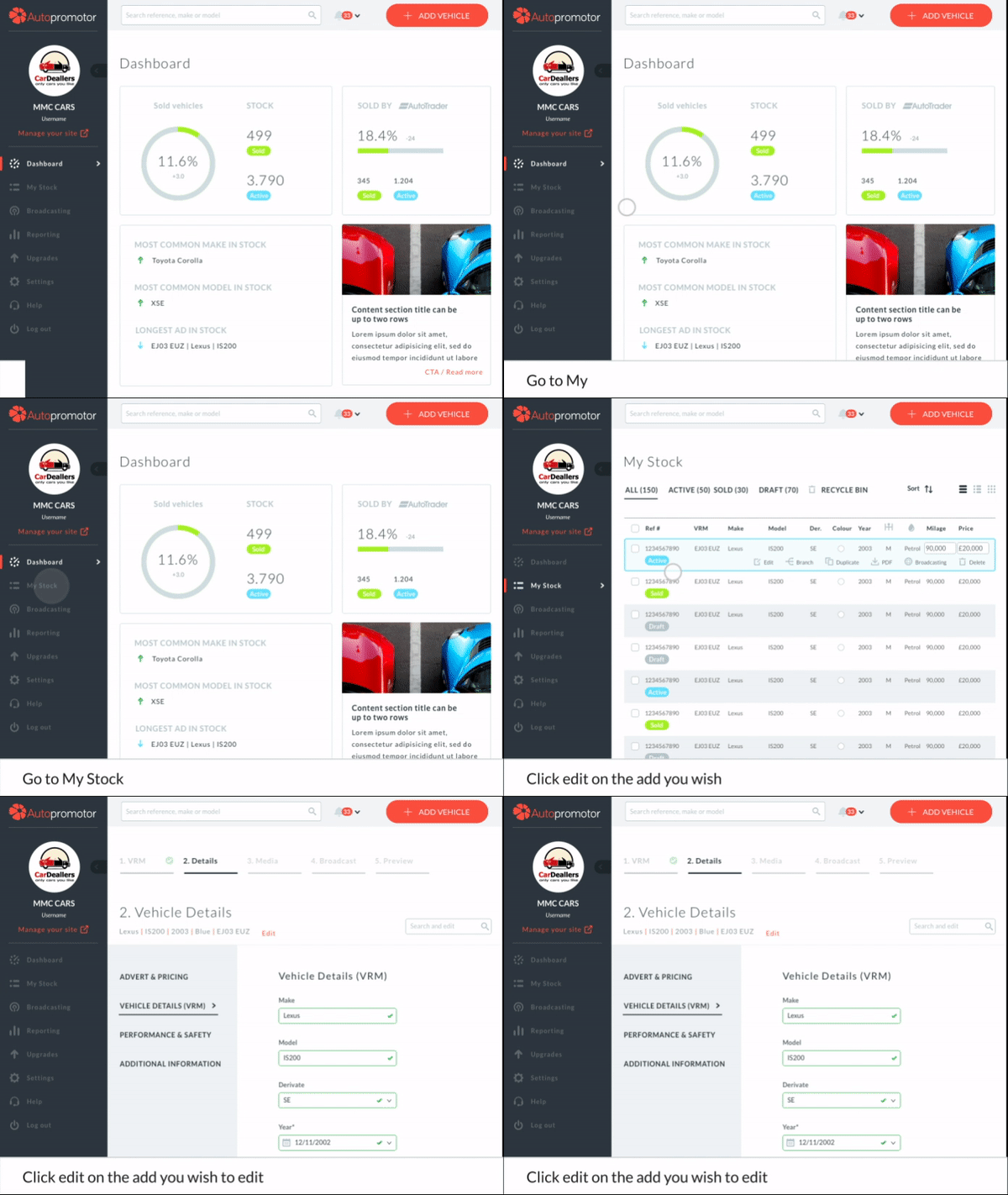
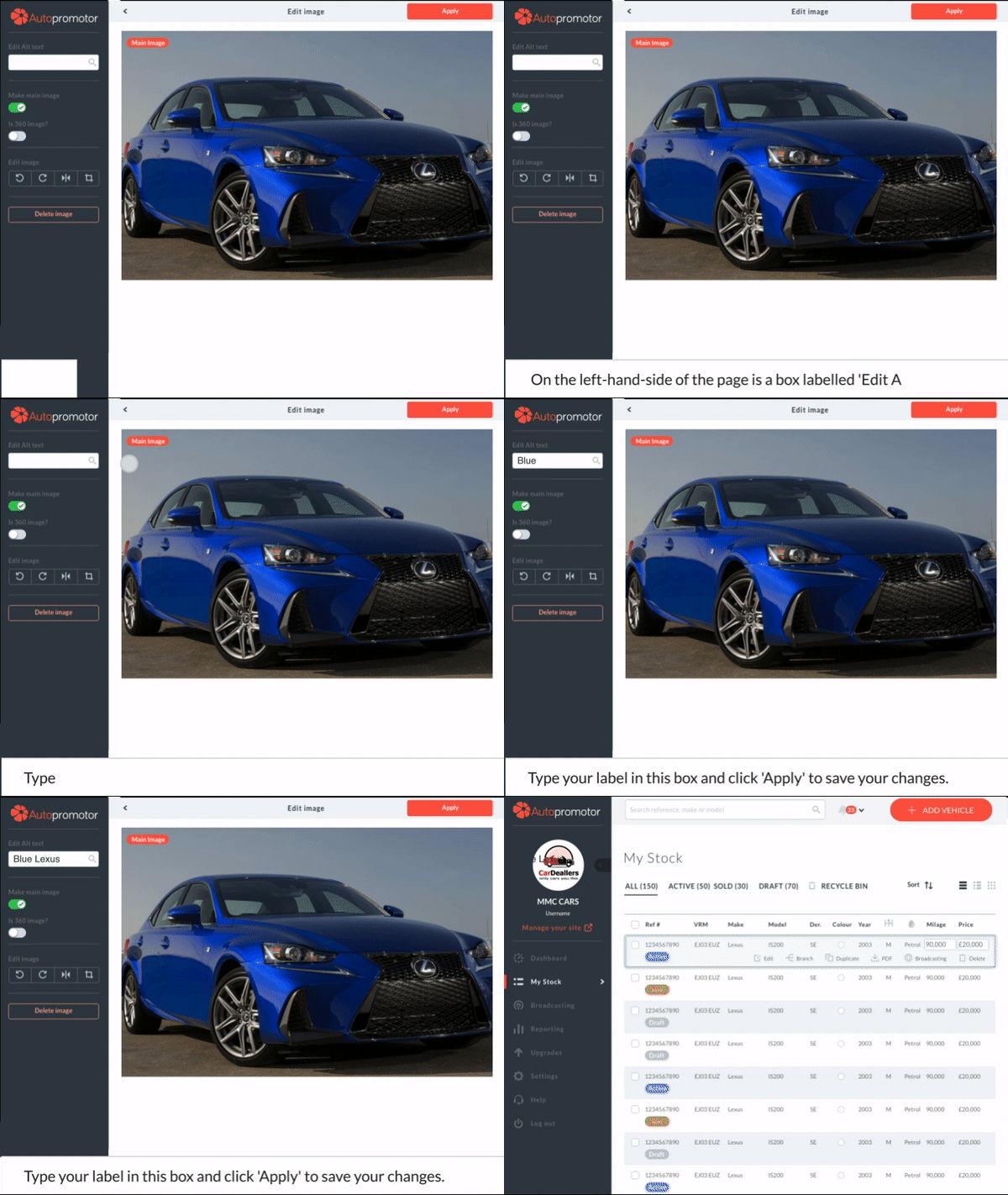
2 – Once you are editing the image, on the left hand side of the page there is a box labelled ‘Edit Alt Text’.
3 – Type your image label in this box. Once you are done, click ‘Apply’ in the top right-hand corner of the page.
 01273 837559
 Email Us