
 01273 837559
Resetting your Autopromotor password is a very easy and straightforward process. Follow this guide to see how to reset your password on Autopromotor.
1 – Firstly select ‘Settings’

2 – Select ‘Manag Users’

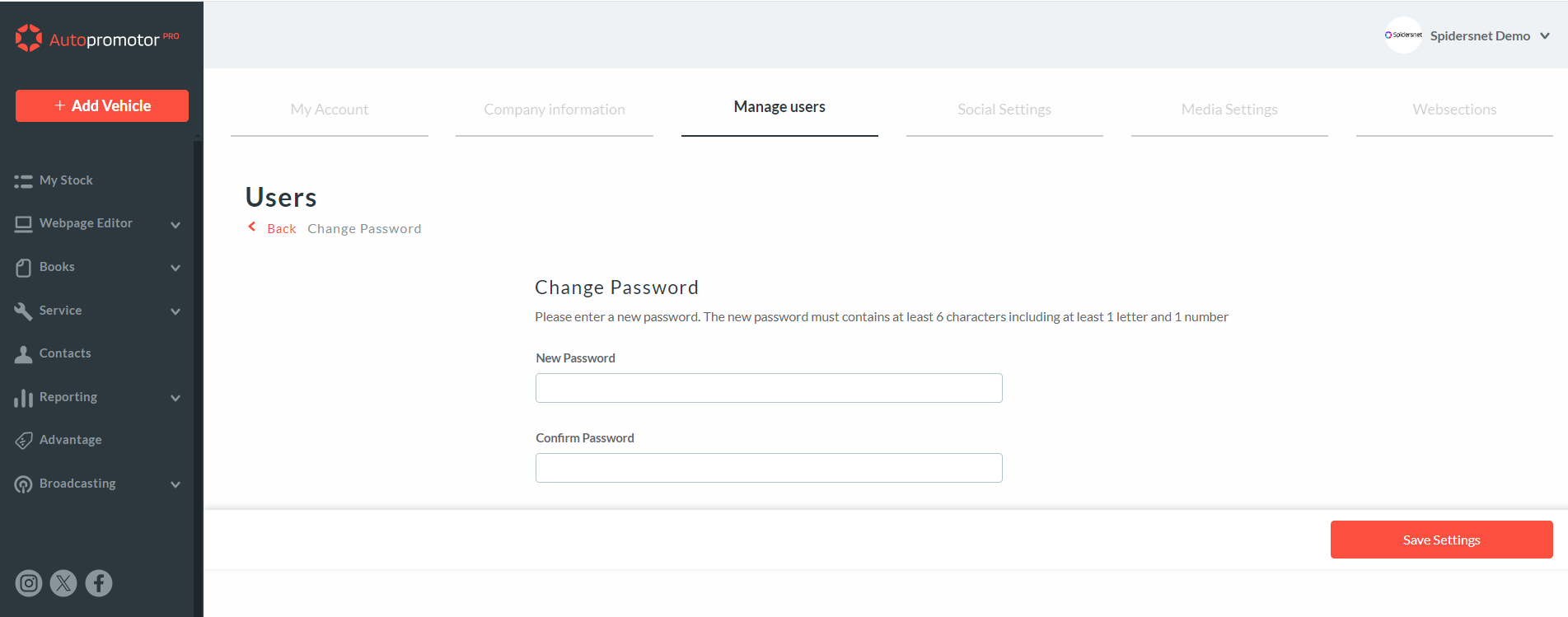
If changing your password you’ll be required to enter your current password. Once this is done you can then enter your new password. All new passwords must contain 8 characters and include at least one capital letter and one number.
You’ll need to enter it twice in the two boxes provided to ensure that it is spelled correctly. Once you have completed this step you will need to click ‘Save settings’ and your new password will be saved. The next time you log in you can use this new password.
What if I cannot remember my current password?
1 – If you cannot remember your current password, then you will want to click on ‘Forgot password?’. This will then take you to a new page. Here you need to enter your email address and an email with password reset instructions will be sent your way.
2 – Open the email and click on the password reset link. It’s worth noting that this link will expire after 24 hours.
3 – Once you have clicked on the link you will be taken to a page where you can enter your new password. You will be required to enter your password twice to ensure it is spelled correctly. Once you have done this, click ‘Reset password’ and your new password will be saved.
 01273 837559
 Email Us