
 01273 837559
You are able to view a number of different reports using Autopromotor. These reports are designed to give you an insight into how your website is performing.
Take a look at the step-by-step guide to see which reports you can view on Autopromotor.
Step-by-step guide:
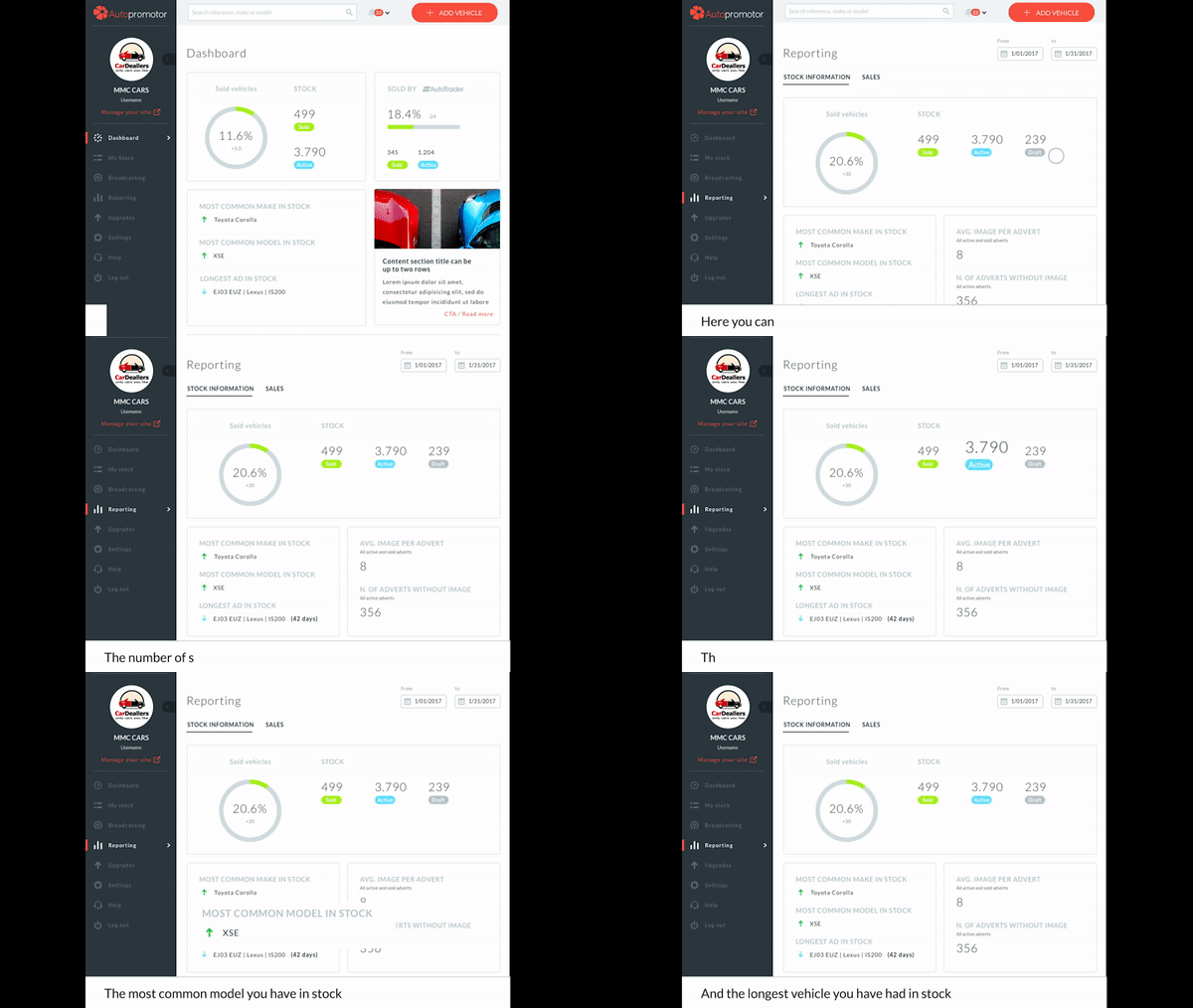
1 – To view your reports, click the ‘Reporting’ link on the left hand side.
2 – Here you can view the following information:
a.) Your number of active ads
b.) The number of sold vehicles
c.) The most common make you have in stock
d.) The most common model you have in stock
e.) The longest vehicle you have had in stock
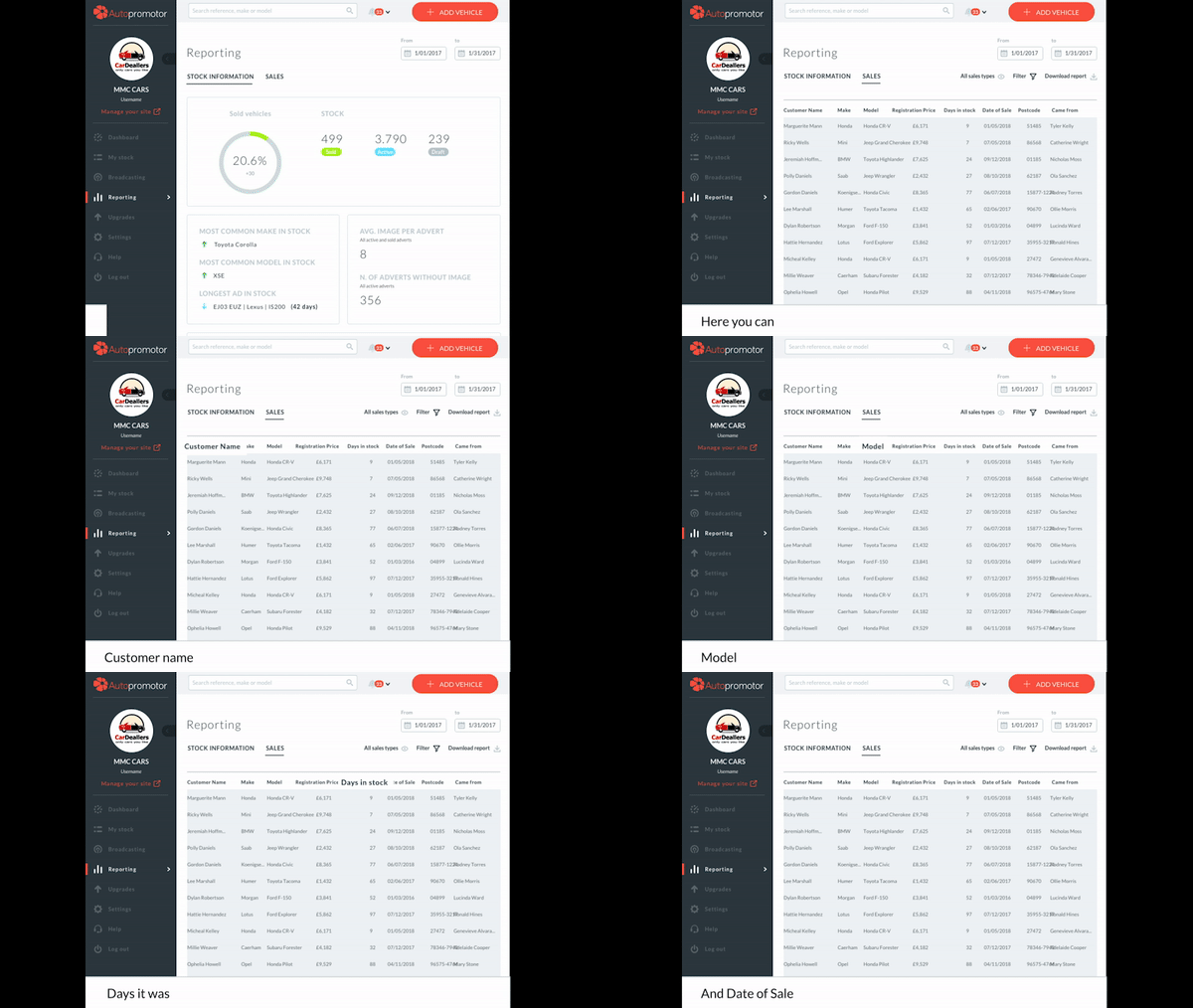
3 – To view Sales Information, click the ‘Sales Information’ link at the top of the page. Here you can see a list of all of your sold vehicles. On this page you can see the following information about each vehicle:
a.) Customer name
b.) Make
c.) Model
d.) Price
e.) Days it was in stock
f.) Date of sale
 01273 837559
 Email Us