
 01273 837559
Follow our step-by-step guide on how to unpublish a slide:
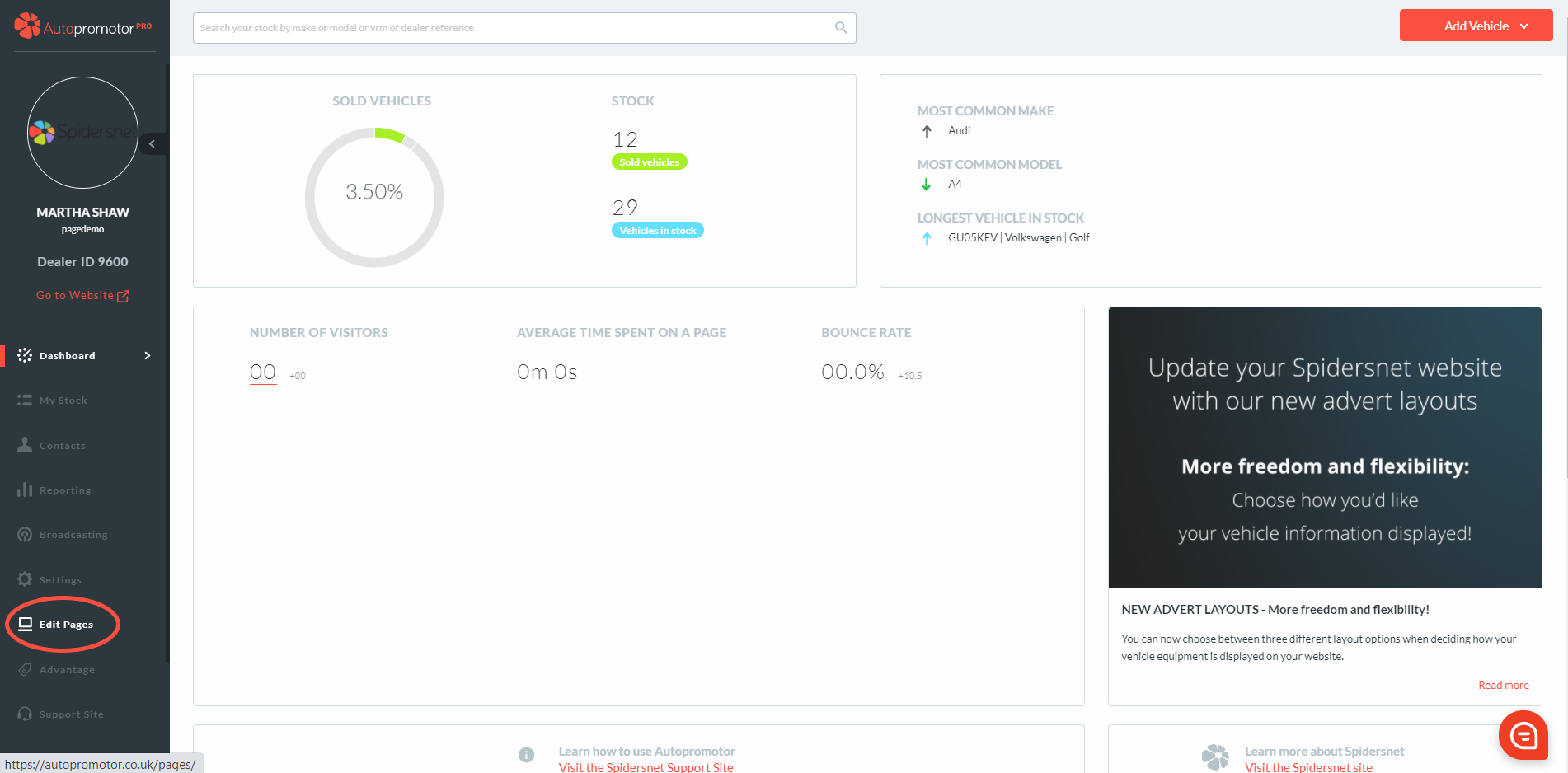
- Login to Autopromotor
- Go to ‘Edit Pages’ on the left hand navigation bar
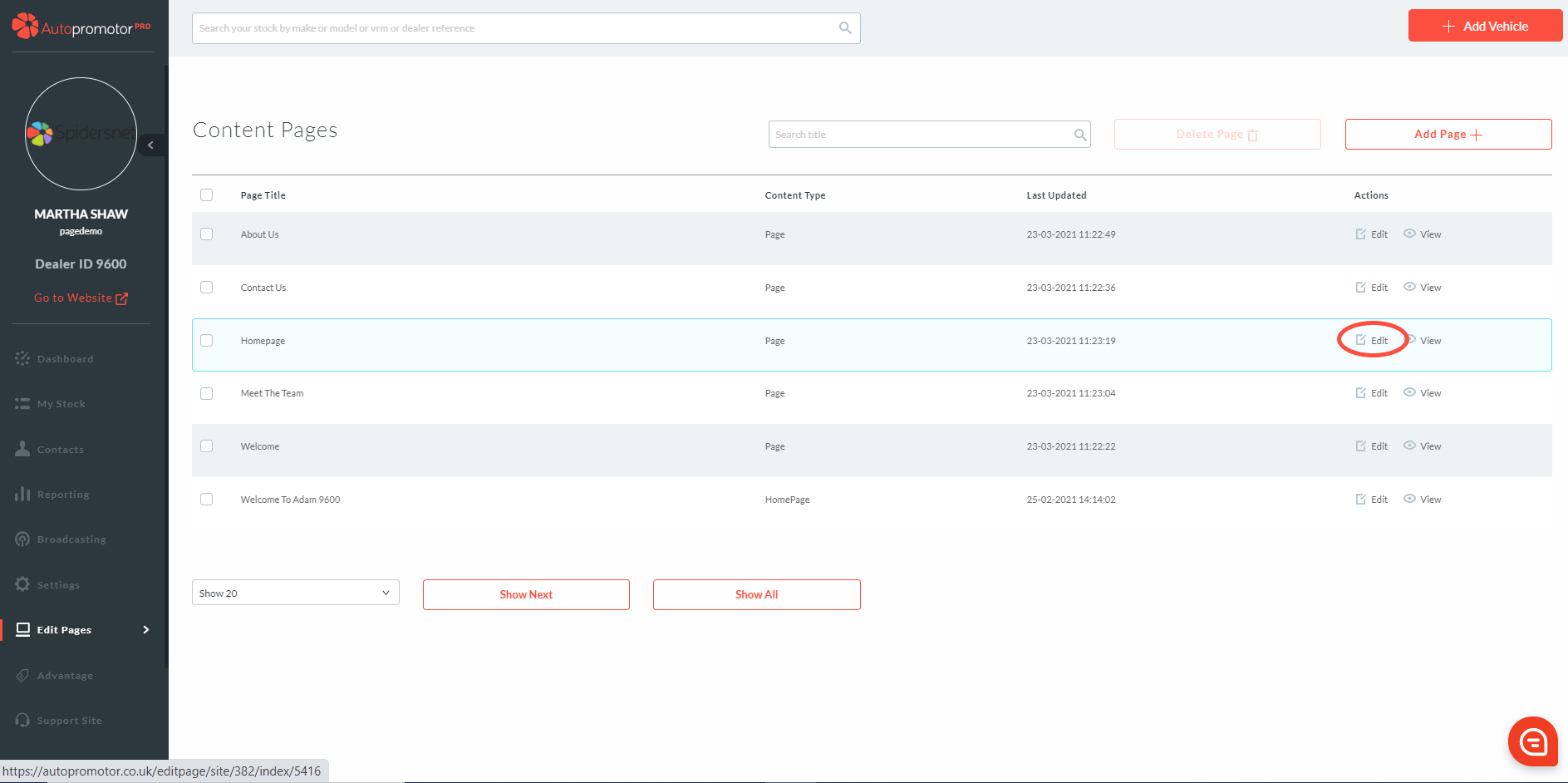
3. Find the page the slide sits on and click on ‘Edit’
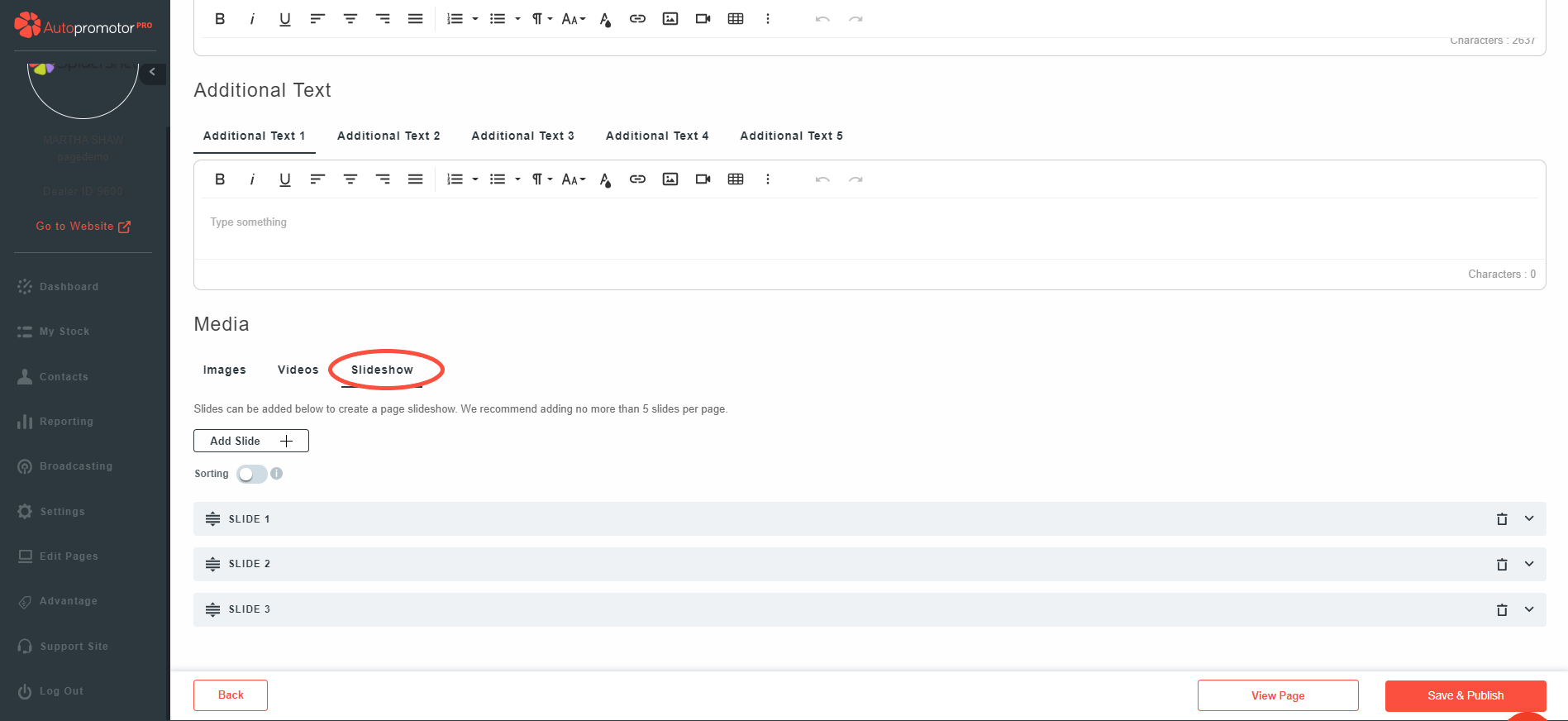
4. Scroll down to ‘Media’ Section 5. Click on ‘Slideshow’
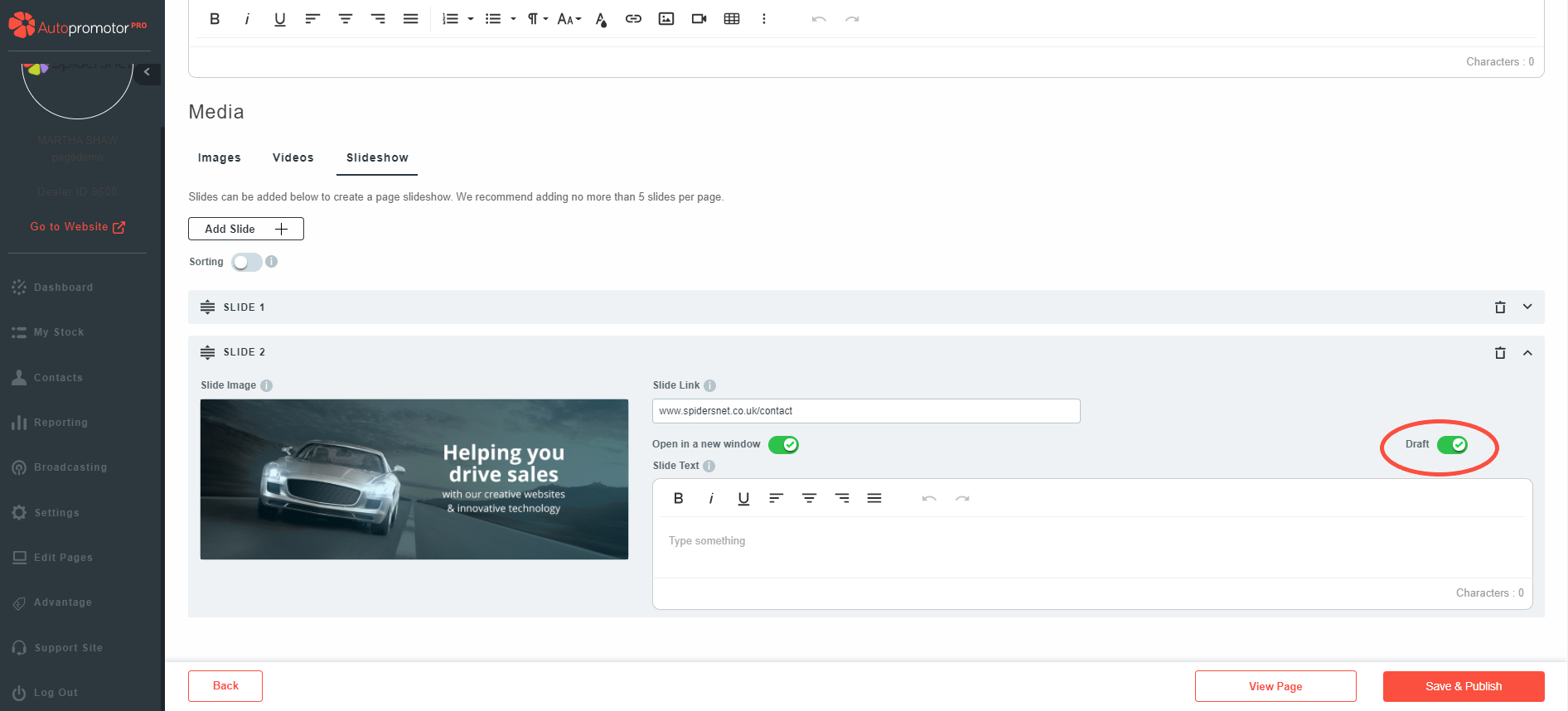
6. Find the slide you would like to unpublish/put back to draft status 7. Toggle the button to green where it states ‘Draft’
9. Click on ‘Save & Publish’
NOTES
- When a slide is the in draft status, it will not be shown on your website. This allows you to re-publish as and when required
Was this helpful?
Let us know if this guide was helpful and you found out what you needed to know. If you didn't find all the information you required, then click 'No I still need more help' and fill in the form so we can assist you further.
 01273 837559
 Email Us